Design your space with our
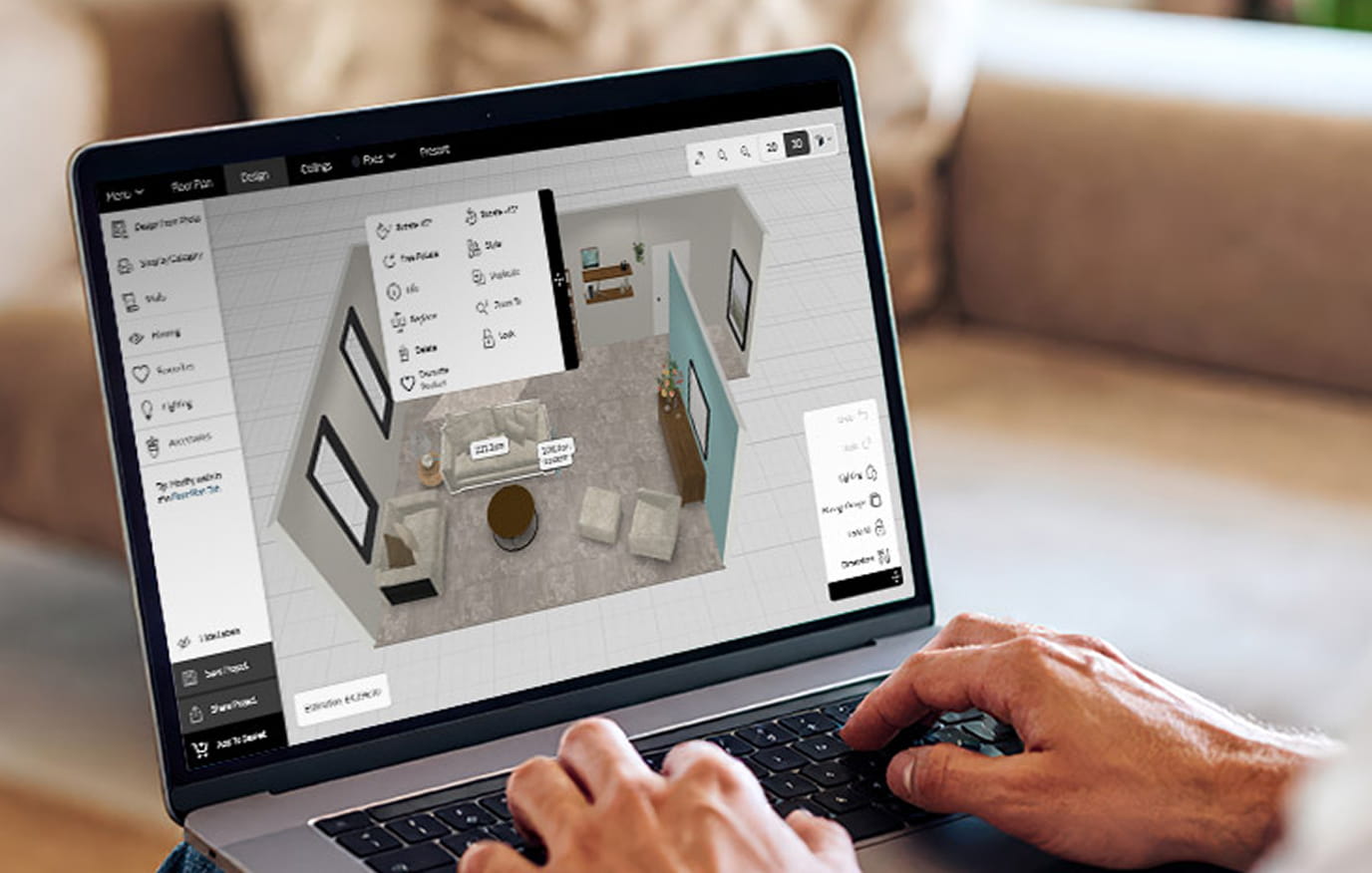
Our room planner works best on desktop. Use your laptop or computer for access to the full suite of tools and features.
Key features of the tool
How it works
To save, share and view your plans again, simply set up a 3D Cloud account. This is a dedicated login for the room planner tool, and is separate from your MySofology account.
Need a little help?
Check out our help centre for tips and tricks on how to get the most from the room planner tool.
Ready-made canvases
Begin designing from our pre-made roomsets
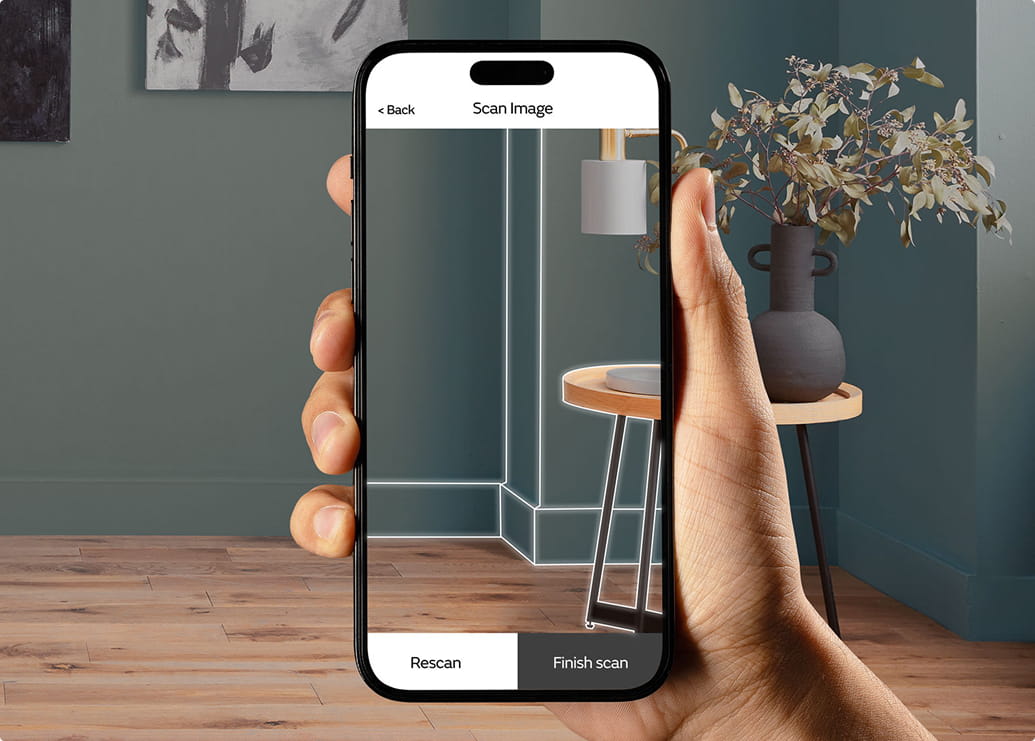
Scan your room in seconds
The innovative room scanner feature can capture your room’s exact dimensions, so put away the tape measure and let your phone do the heavy lifting. Simply scan the QR code, use your camera to scan your room and enter the six digit code to load your floor plan onto your computer.
*Please note: Currently available on iOS devices only.
Why plan your space?
Our room planner lets you design with absolute certainty and zero guesswork. Because every sofa in our tool is built to its precise, real-world dimensions, you can trust that if a shape and size fits flawlessly on your screen, it will fit beautifully in your home.
Enjoy complete control, experiment with bold layouts and swap out materials until your space looks just right.